Pick the good ones. Clean up the rest.
300 photos from the trip, 9 you would actually post, and a quick way to review the extras. Clear Pick is the AI photo picker and batch cleanup tool that runs entirely on your iPhone.

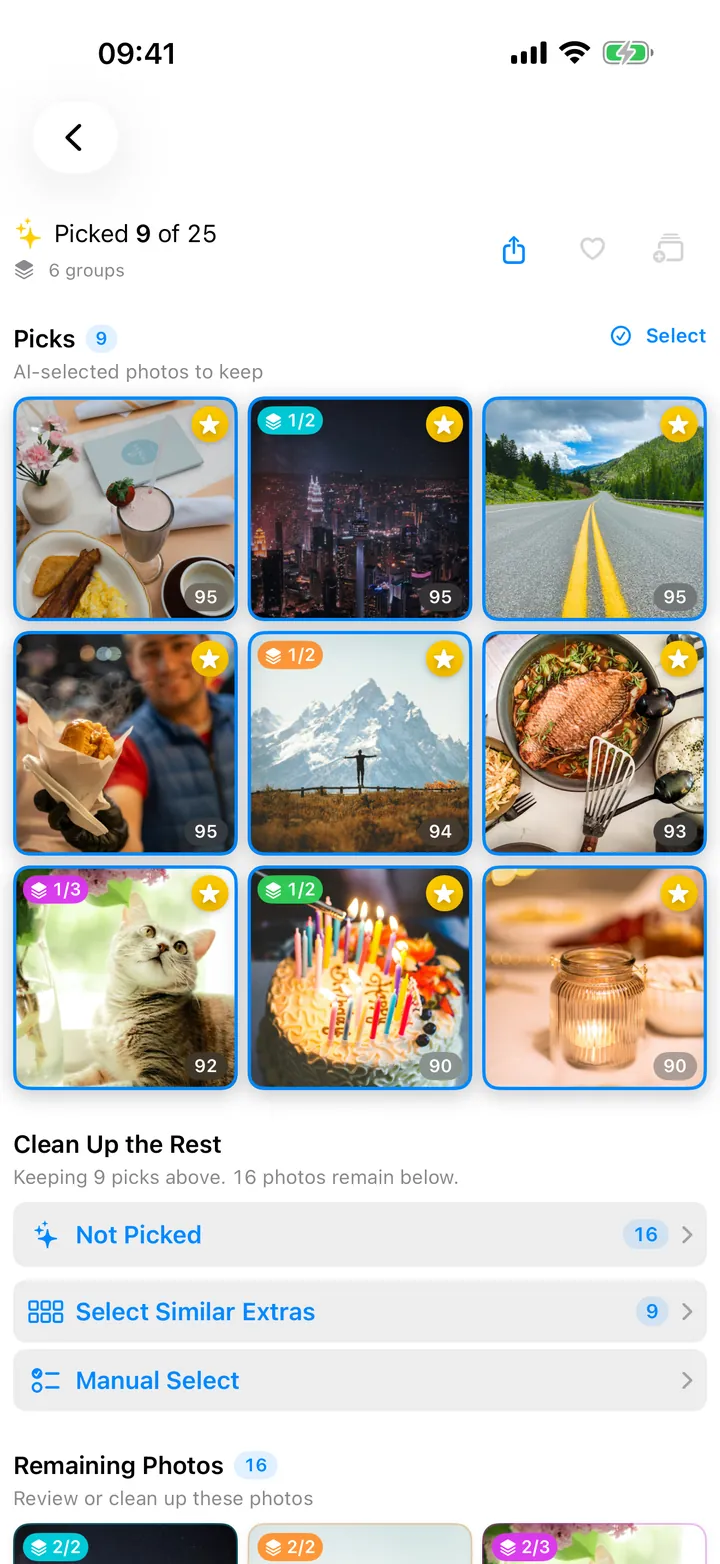
How Clear Pick picks
All scoring runs entirely on your phone. No upload, no account. Your photos never leave your device.
On-device, full stop
Photo scoring runs on your iPhone. Clear Pick never uploads your photos or AI results, and no account is needed.
Looks at the right things
Sees through the duplicates. iOS shows you 12 versions of the same selfie. Clear Pick shows you the one that worked.
Burst-aware
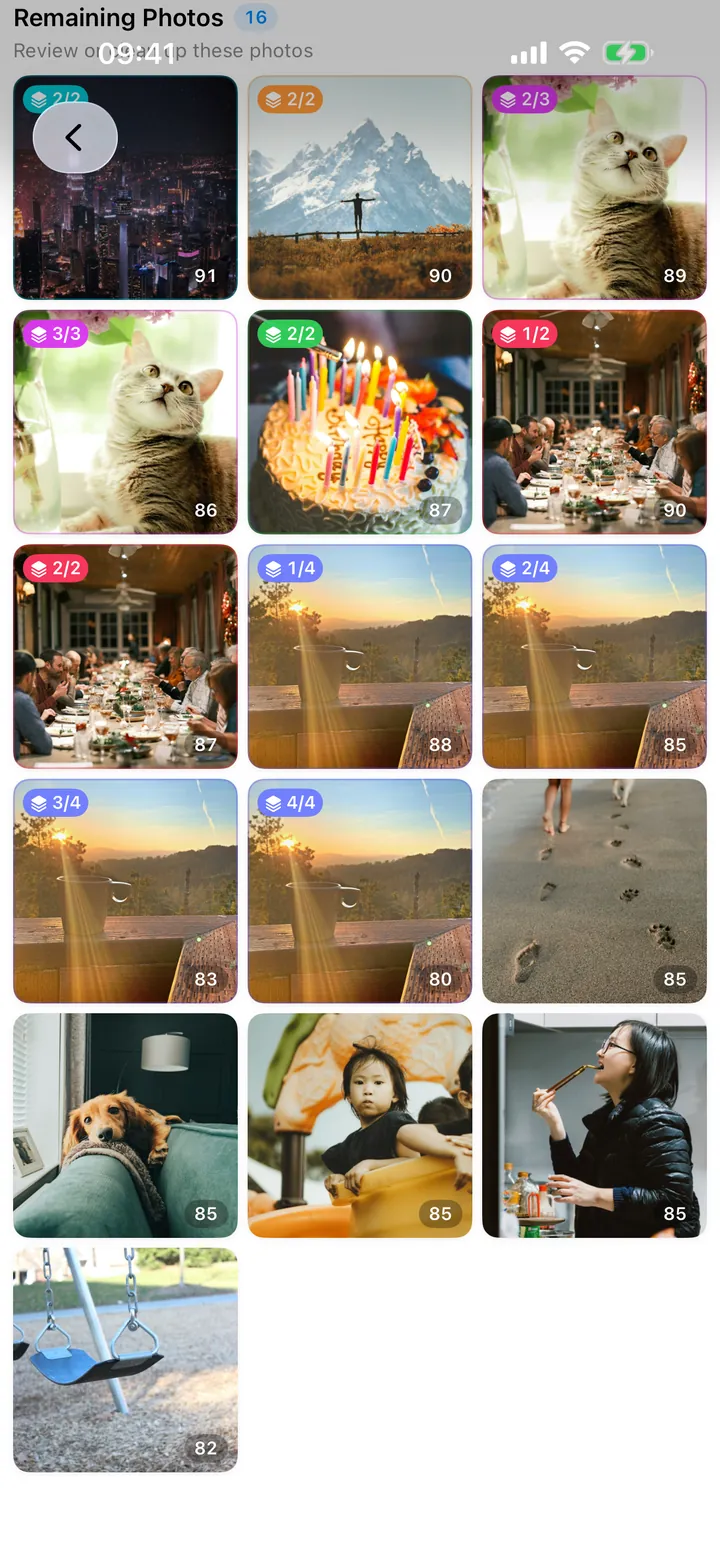
A dozen near-identical shots from one moment collapse into a single pick. Your top 9 will not all be the same pose.
Clean up the rest
After your picks are in, batch-select the similar-shot extras, the photos the AI did not pick, or only the low-score ones. Preview the selection. The Photos delete confirmation is always the last step.
See it in action

Common questions
What is an AI photo picker?
A different category from photo editors and duplicate-cleaners. An editor changes the photo. A duplicate-cleaner removes byte-identical copies. An AI photo picker leaves your photos alone and tells you which ones to actually use — scoring sharpness, expression, framing, and exposure to surface the keepers from a session of near-identical shots.
Does Clear Pick upload my photos?
No. Photo scoring runs on your iPhone. Photos are read directly from your system Photos library, and neither your photos nor AI results are uploaded. No Clear Pick account is needed.
How does it decide which photo is "best"?
An on-device AI scores each photo on sharpness, framing, exposure, and overall vibe — one number, no weights to tune.
What about ten near-identical burst shots?
Clear Pick groups similar shots so you can compare alternatives and avoid repeated poses in your selection. You choose the number of recommended picks and review them yourself.
Can it help me clean up the rest of the photos?
Yes. After the AI picks the keepers, Clear Pick offers preset selections for the remaining photos: similar-shot extras, unpicked photos, or low-score photos. You preview the selection before anything goes to the Photos delete confirmation. Nothing ever deletes on its own.
How fast is it?
Analysis runs on your device. How long it takes depends on how many photos you choose, your device, and whether any photos need to download from iCloud first.
Which devices does it support?
iPhone and iPad. The current minimum is on the App Store listing.